Your stream looks flat. Shadows cling to your face like static ghosts. Viewers scroll past—again. You bought “LED lights for streaming” based on flashy Amazon thumbnails, not realizing that 80% of these setups sabotage your visual credibility before you even say “hello.” Here’s the fix: lighting isn’t about brightness. It’s about dimension.
The Core Problem: Why Off-the-Shelf LED Lights Make You Look Worse
Most streamers slap a ring light in front of their webcam and call it a day. Big mistake. Ring lights flatten facial features—eliminating depth, casting unflattering under-chin shadows, and turning skin tones into waxy mannequins.
And color temperature? Often ignored. A 6500K “daylight” panel next to warm indoor bulbs creates a Frankenstein color clash that confuses cameras—and viewers. Your eyes adjust. Their screens don’t.
led lights for streaming: The Step-by-Step Setup That Actually Works
Forget one-light wonders. Professional streaming lighting lives on layers. Here’s how to build a setup that adds dimension without draining your budget—or your GPU.
Three-Light Framework (Even on a Budget)
Key light: Your main source. Place it slightly above eye level, 45° to one side. Soft, diffused, and 5600K. Fill light: Opposite side, lower intensity, reduces harsh shadows. Backlight/hair light: Behind you, aimed at your shoulders—creates separation from the background.
The magic? Ratios matter more than wattage. A $40 key + $30 fill often beats a single $150 “pro” panel used alone.
Avoid These Common Color & Placement Traps
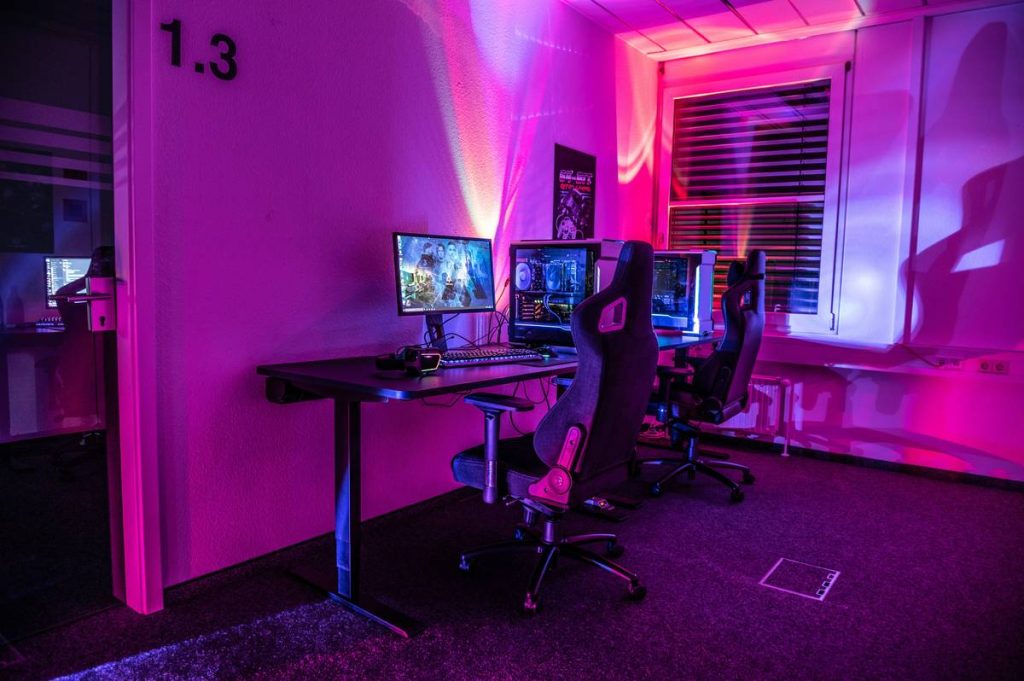
Never place your key light directly beside your monitor—it casts double shadows from both eyes. And don’t mix RGB party modes with your main lighting unless you want your face to pulse neon purple mid-sentence.
But here’s the kicker: most consumer LEDs have poor CRI (Color Rendering Index). Below 90, and your red shirt looks brown. Always check specs—even if it costs $10 more.
| Light Type | Price Range | CRI Rating | Best Use Case |
|---|---|---|---|
| Softbox Panel (5600K) | $35–$70 | 90–95 | Key or fill light—diffused, natural look |
| RGB Light Strip | $20–$50 | 70–85 | Backdrop ambiance only—never on-face |
| Ring Light | $25–$100 | 80–90 | Beauty close-ups, not full-body streams |
| Bi-Color Panel | $60–$150 | 93–98 | Pro hybrid setups—match ambient room tone |

The Industry Secret: Lighting That Adapts to Your Game
Top-tier streamers don’t just light their faces—they light their mood. During horror gameplay? Drop your key light intensity by 30%, add a cool blue backlight. Racing game? Boost warmth and flicker a subtle strobe off-camera (via DMX or software sync).
Here’s the reality: your lighting should shift with content energy—not stay static like a corporate Zoom call. Tools like Elgato Key Light Air can sync with Stream Deck macros to auto-adjust brightness based on game genre. Few talk about this. Even fewer implement it.
Think about it. Viewers remember atmosphere long after they’ve forgotten your K/D ratio.
FAQ
Do I need expensive LED lights for streaming?
No. Prioritize CRI >90 and adjustable color temperature over brand name. Two budget panels beat one cheap “gaming” RGB unit with poor color accuracy.
Where should I place my streaming lights?
Key light: 45° left/right, slightly above eye level. Fill: opposite side at half brightness. Backlight: behind, aimed at shoulders—not your head.
Can RGB lights work as main lighting?
Only if they’re high-CRI white-capable models. Pure RGB strips lack accurate white tones—your skin will look unnatural. Use them for background accent only.